● Order Management7 min read
Multi-Channel Order Management: How to Run Amazon, Flipkart and Meesho Orders from One Queue
How Indian sellers run Amazon, Flipkart and Meesho orders from one queue: the order lifecycle, one stock count to stop overselling, and returns vs RTO.
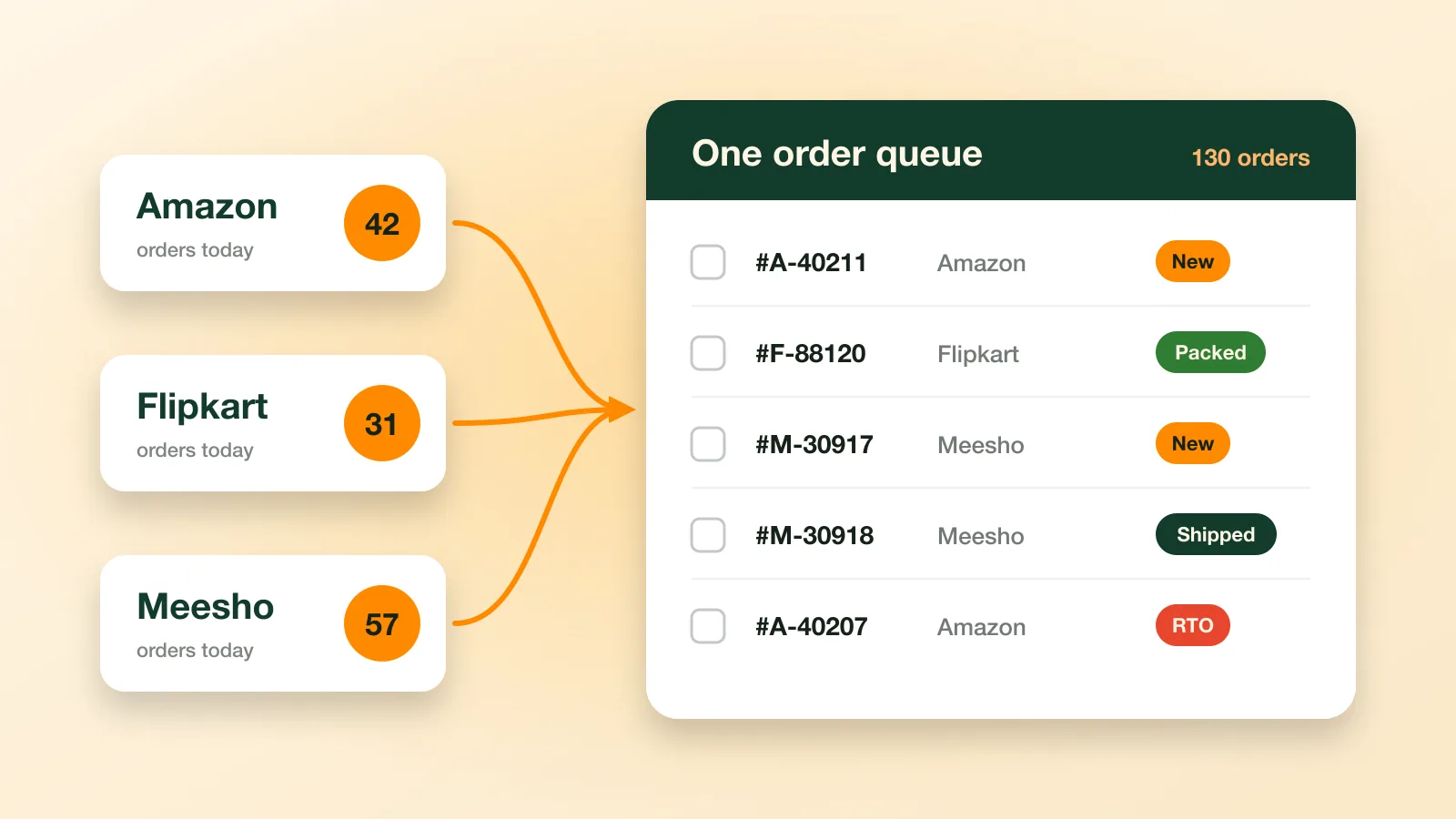
Multi-channel order management means handling the orders from every place you sell (Amazon, Flipkart, Meesho, your own website) in one queue, with one process for accepting, packing, labelling, shipping and returns. Done well, it stops oversells, missed dispatch deadlines and returns that nobody follows up. You can start with a disciplined daily routine and one shared stock count, then move to an order management tool as volumes grow.
Key takeaways
- Every marketplace order goes through the same steps: sync, accept, pack and label, ship, deliver, plus returns and RTO.
- The costly failures are oversells, missed dispatch deadlines and returns that are never checked or claimed.
- A fixed daily routine with batch cut-off times does more than any tool on its own.
- Track RTO separately from customer returns: they have different causes and different fixes.
What is multi-channel order management?
Multichannel retailing (opens in a new tab) means selling the same products in several places. Order management is everything that happens between an order being placed and it being delivered or returned, which retailers call order fulfilment (opens in a new tab).
For a seller in India that usually means working across Amazon Seller Central (opens in a new tab), the Flipkart Seller Hub (opens in a new tab) and the Meesho Supplier Panel (opens in a new tab). Each has its own dashboard, label format, dispatch deadlines and returns process. Managing them as one operation is the whole job.
Signs you have outgrown switching between tabs
- You oversell: a unit sells on one channel after the last one already sold on another.
- Orders miss their dispatch deadline because they sat in a panel nobody opened that morning.
- The packing desk works from three pick lists in three formats.
- Returns arrive and nobody can quickly match them to an order.
- You can’t say how much return-to-origin (RTO) cost you last month.
What are the steps in processing a marketplace order?
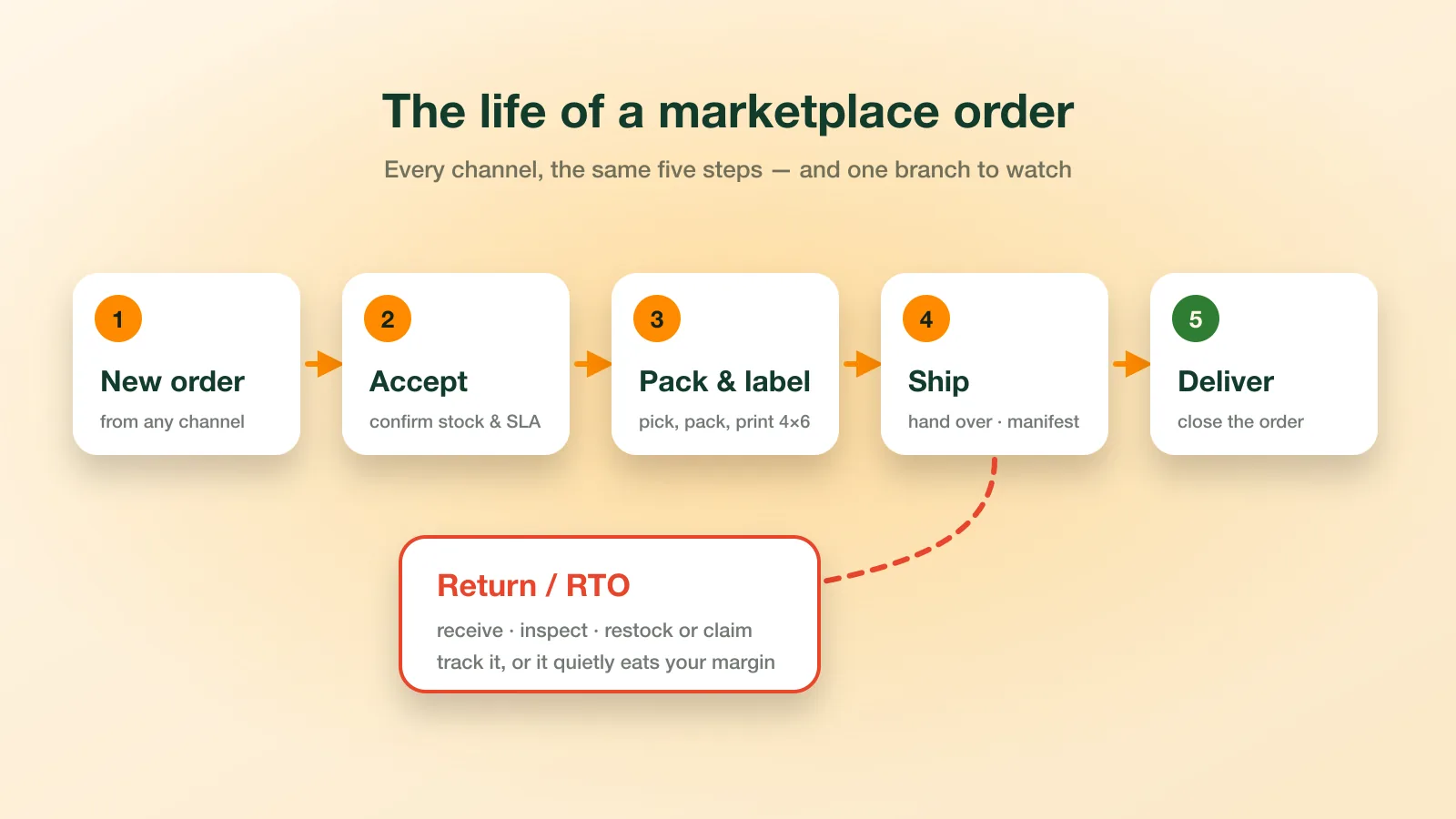
Every marketplace order goes through the same five steps: bring it into one list, accept it and confirm the stock, pick, pack and label, ship and hand over, then deliver. Orders that come back as customer returns or RTO take a sixth step, back to you.
1. Bring new orders into one list
Collect new orders from every channel several times a day, and note each one’s dispatch deadline. One list sorted by deadline beats three panels sorted three different ways.
2. Accept, and confirm the stock is there
Check that the item is actually on the shelf before you accept. If it isn’t, cancel early rather than ship late: marketplaces track both cancellations and late dispatch in your seller performance.
3. Pick, pack and label
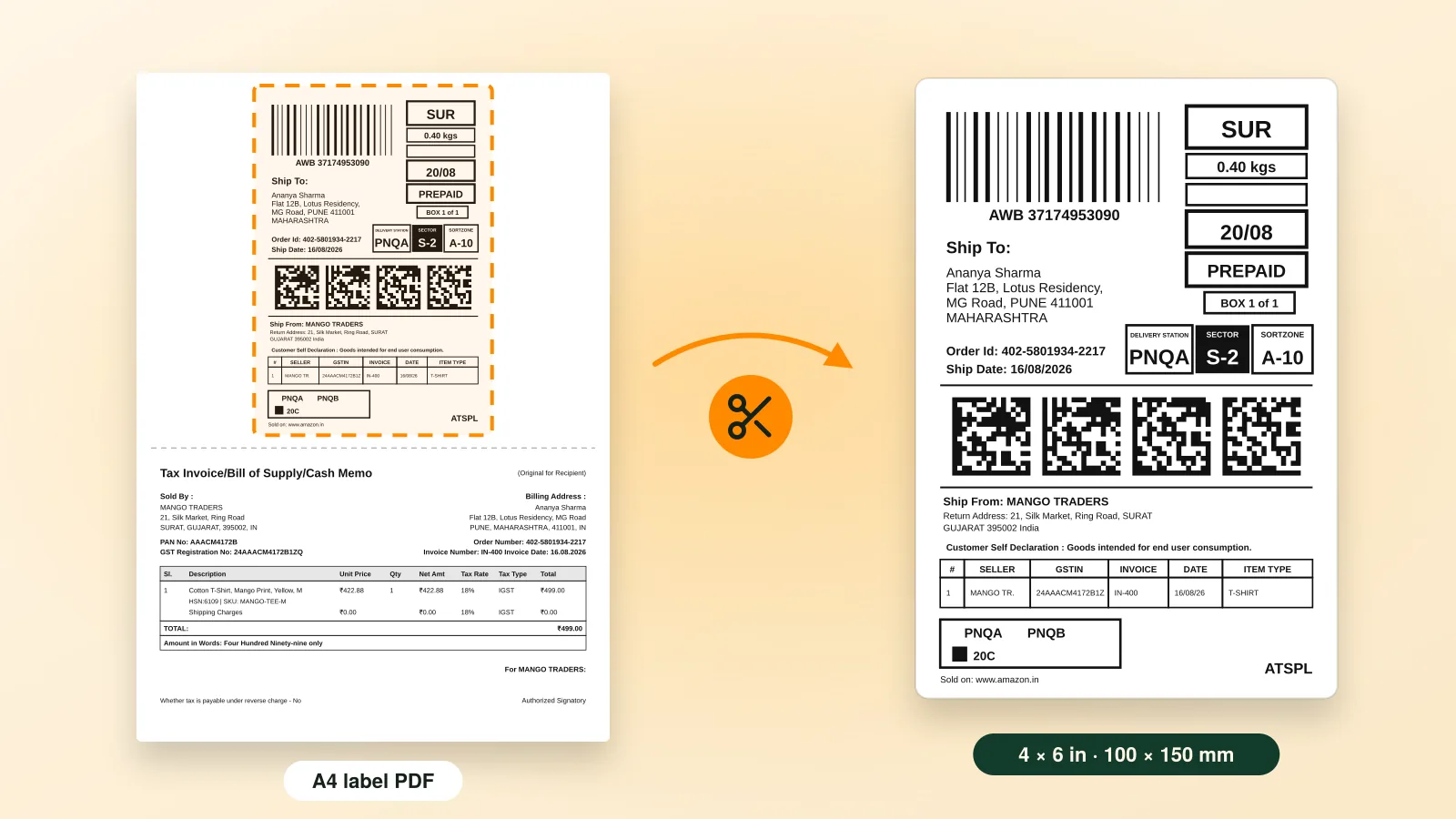
Work in batches. Group orders by SKU so each product is picked once, and print every label for the batch in one go. Our guide to cropping shipping labels for a 4×6 thermal printer covers that step in detail.
4. Ship and hand over
Count or scan parcels at courier pickup against the manifest, so a missing parcel is caught at your door and not in a dispute two weeks later.
5. Deliver, or handle the return
Most orders end at delivery. The rest come back as customer returns or RTO, and those need their own process, covered below.
How do you stop overselling across Amazon, Flipkart and Meesho?
Keep one master stock count for each SKU (stock keeping unit) (opens in a new tab) and update every channel from it, instead of a separate count per channel. Use the same SKU code everywhere and hold a small buffer on fast movers, so a burst of orders on one channel can’t oversell another.
- Use the same SKU code everywhere. “KURTI-BLU-M” should mean the same item on Amazon, Flipkart and Meesho.
- Hold a small buffer on fast movers. List a few fewer units than you hold, so a burst of orders on one channel can’t oversell another.
- Update after every batch, not at the end of the day.
- Count the shelf weekly for your top sellers and correct the master count.
What is the difference between a customer return and RTO?
A customer return is an order that was delivered and then sent back; RTO, return to origin, is a parcel that was never delivered. They look the same when they reach your warehouse, but they have different causes and different fixes, so track them separately.
Customer returns are handled with a return authorisation (opens in a new tab). RTO happens when a parcel is refused at the door, the buyer can’t be reached, or a cash-on-delivery (opens in a new tab) order isn’t paid for.
| Customer return | RTO (return to origin) | |
|---|---|---|
| When | After delivery | Before delivery |
| Common causes | Size or fit, damage, not as described | COD refused, wrong address, buyer unreachable |
| Main fix | Better listings, size charts and packaging | On-time dispatch, clean addresses, fewer risky COD orders |
| Check on arrival | Condition, and that it is your item; claim if not | Seal intact; restock quickly |
How to reduce RTO
- Dispatch on time. The longer a parcel takes, the more likely a COD buyer has changed their mind by the time it arrives.
- Make listings match the product, with accurate photos and size charts, so buyers get what they expect.
- Confirm high-value COD orders from your own website before dispatch. On marketplaces, follow each platform’s rules for contacting buyers, which usually means its own messaging only.
- Watch the pattern. Track RTO by pincode and by product, so you can see whether a few of them account for most of it.
Receive returns properly
Open returned parcels on camera, check the item against the order, then restock it or raise a claim in the seller panel. Each marketplace sets its own claim window, so check its returns section and don’t let returns pile up unopened.
What daily routine keeps multi-channel orders on time?
Run orders in fixed batches: sync and accept in the morning, print and pack at a cut-off, hand over at pickup, then repeat for the afternoon’s orders. End the day by updating the master stock count and logging the returns that came in.
- Morning: bring in new orders from every channel, check stock and accept or cancel.
- First cut-off: print the batch’s labels, pick by SKU and pack.
- Courier pickup: hand over against the manifest and count the parcels.
- Afternoon: a second sync and a second batch for orders that came in since.
- End of day: update the master stock count and log returns received.
What should an order management tool do?
An order management tool should cover the whole lifecycle: one synced queue for every channel, bulk processing, label printing, stock sync, courier tracking, and returns and RTO tracking. Look for one when your daily routine can no longer keep up with your order volume.
| Feature | Why it matters |
|---|---|
| Multi-channel order sync | One queue instead of three panels; nothing waits unseen. |
| Bulk accept, pack and ship | Process a batch in one action, not order by order. |
| 4×6 label printing | Print-ready labels for every channel, sorted the way you pick. |
| Stock sync | One stock count feeding every channel, so you stop overselling. |
| Courier assignment and tracking | See where each parcel is without opening each panel. |
| Returns and RTO tracking | Know what came back, why, and what it cost. |
What can Ecommango do for multi-channel sellers today?
Ecommango covers three parts of the job. Order Management pulls every channel’s orders into one queue, so you can accept, pack and ship in bulk and catch returns and RTO early.
- Label Cropper turns Amazon, Flipkart and Meesho label PDFs into sorted, print-ready 4×6 thermal labels, with an order summary you can pick from.
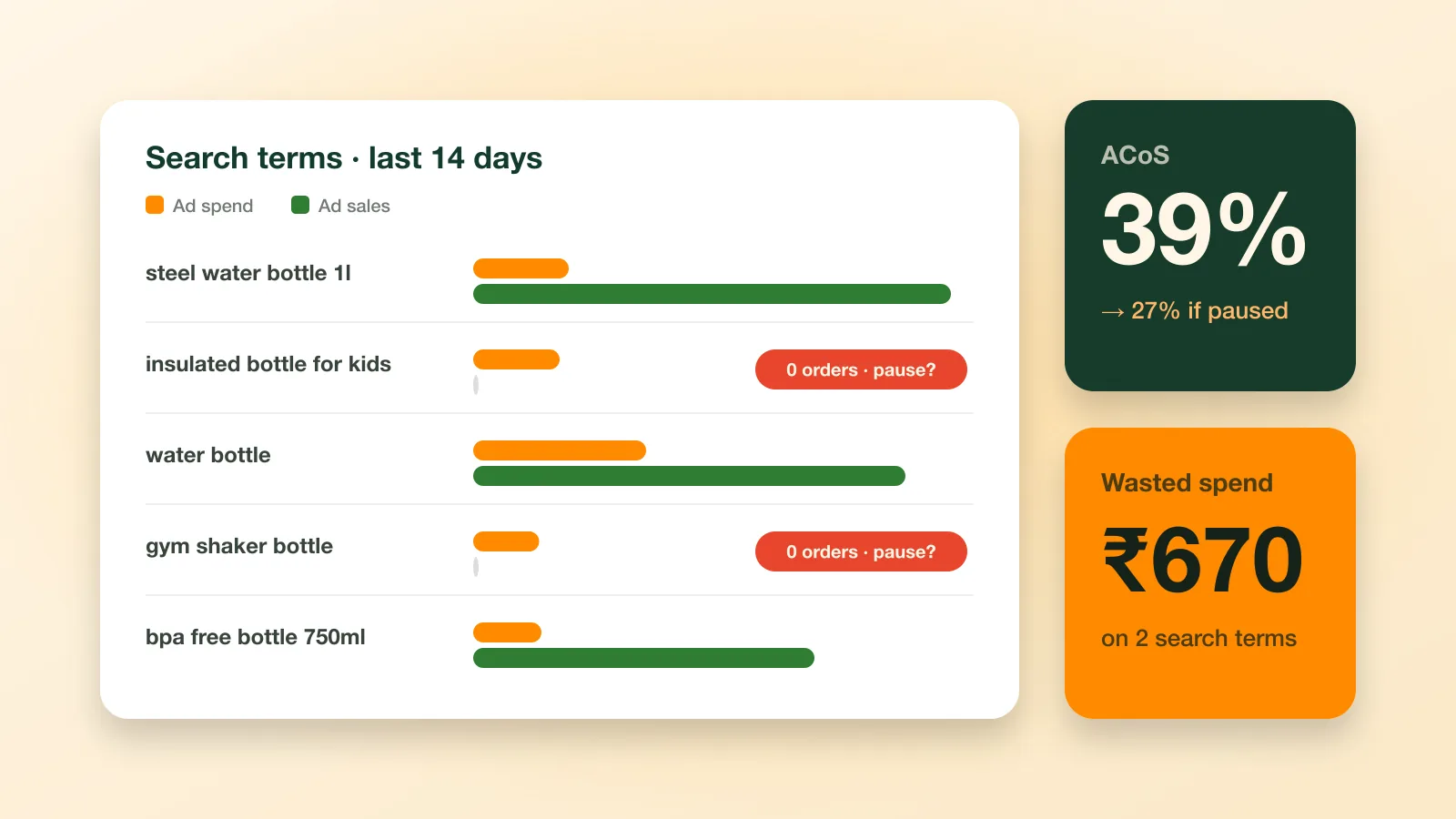
- Ads Manager finds wasted Amazon Ads spend and recommends what to change. Read how to cut wasted Amazon Ads spend for the method behind it.
Questions about running your channels from one queue? Call us on +91 78742 31303.
Frequently asked questions
What is multi-channel order management?
It means managing orders from every place you sell, like Amazon, Flipkart, Meesho and your website, from one screen.
What is RTO in ecommerce?
RTO means Return to Origin. The parcel was not delivered, often a refused cash-on-delivery order, and it comes back to the seller.
How do I avoid overselling across marketplaces?
Keep one stock count per product, use the same SKU code on every site, update stock often, and keep a few extra of fast-selling items.
How can I reduce RTO?
Ship on time and keep product details and sizes correct. On your own website, confirm big cash-on-delivery orders before sending. Check which areas return most.
Is Ecommango Order Management available now?
Yes. It is live. Start a free trial from our pricing page.
Can I print Amazon, Flipkart and Meesho labels on one thermal printer?
Yes. Ecommango Label Cropper cuts all three to 4×6 label size.