● Ads Manager9 min read
How to Cut Wasted Amazon Ads Spend: ACoS, ROAS and the Rules That Stop the Leaks
Find where your Amazon Sponsored Products budget leaks, work out your break-even ACoS and set simple rules that stop losing keywords eating your margin.
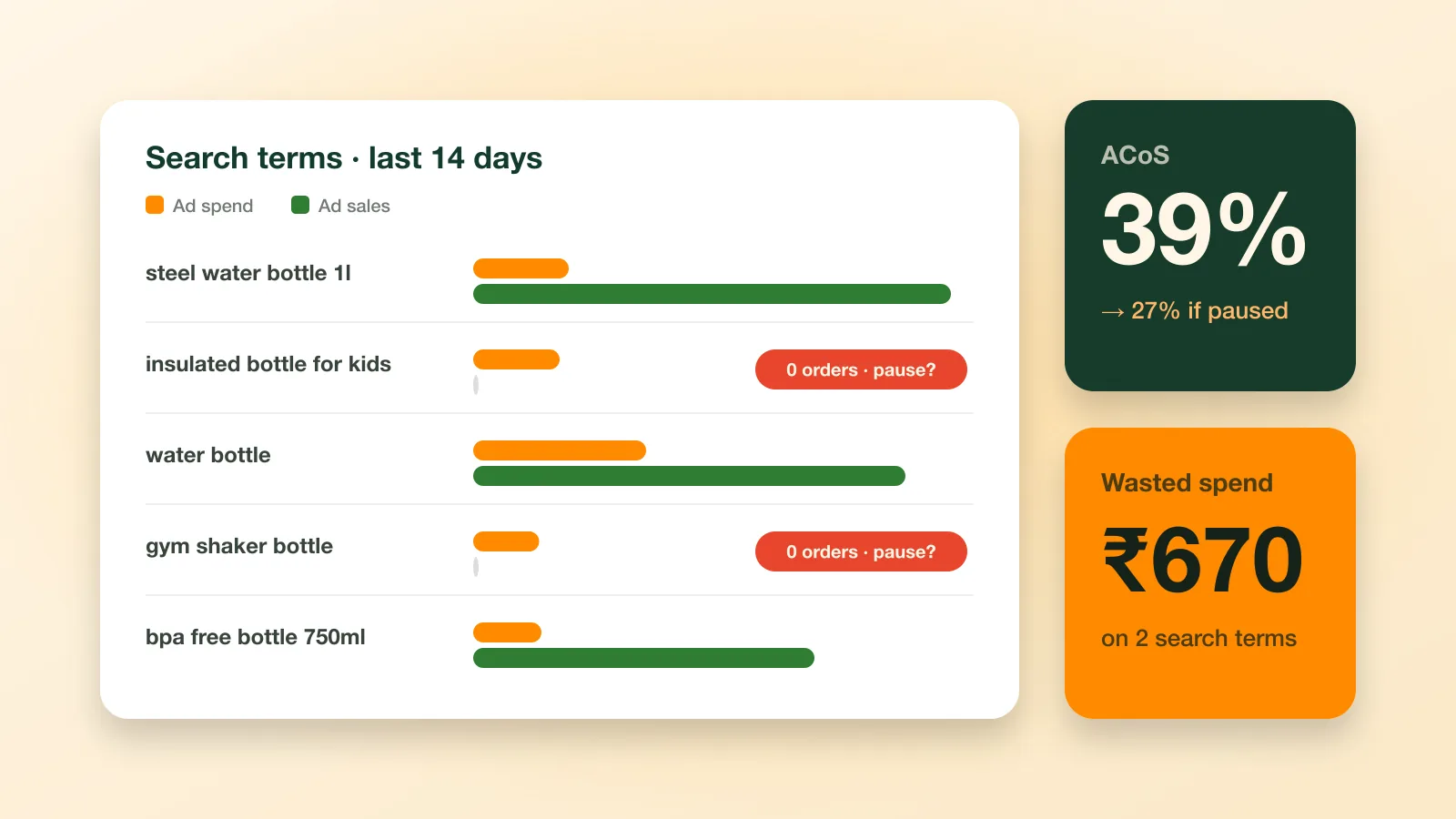
Wasted ad spend is money that buys clicks but no orders. It usually comes from a handful of search terms, keywords or products that quietly take a big share of the budget. To cut it, work out your break-even ACoS, pull the search term report and act on the terms that spend without selling: lower the bid, add them as negative keywords or pause them. Then turn those decisions into rules, so the leaks are caught every week rather than once a quarter.
Key takeaways
- Wasted spend is spend on clicks that never become orders. Find it in the search term report, not in campaign totals.
- ACoS = ad spend ÷ ad sales × 100, and ROAS = ad sales ÷ ad spend. A 20% ACoS is a 5× ROAS.
- Your break-even ACoS is your profit margin before ad costs. Above it, every ad-driven sale loses money.
- Simple IF/THEN rules, such as “15 clicks and no orders → add as negative exact”, catch leaks consistently.
What counts as wasted Amazon ad spend?
Amazon Sponsored Products (opens in a new tab) is pay-per-click (opens in a new tab): you pay when a shopper clicks your ad, whether or not they buy. Spend is wasted when those clicks don’t turn into orders, because the shopper wanted something you don’t sell, the keyword was too broad, or the listing couldn’t close the sale.
Not every rupee without an order is waste. A new keyword needs enough clicks before you can judge it. The aim is to set a threshold, then act the same way every time a term crosses it.
Where wasted spend usually hides
- Search terms with clicks and no orders: the shopper’s actual query, which can be far from the keyword you bid on.
- Broad and phrase match keywords pulling in loosely related searches.
- Auto campaigns showing your product next to items shoppers would never swap it for.
- Weak listings: low ratings, poor images, an uncompetitive price or low stock turn paid clicks away.
- Expensive clicks where the cost per click is higher than a sale can pay for.
What is the difference between ACoS, ROAS and TACoS?
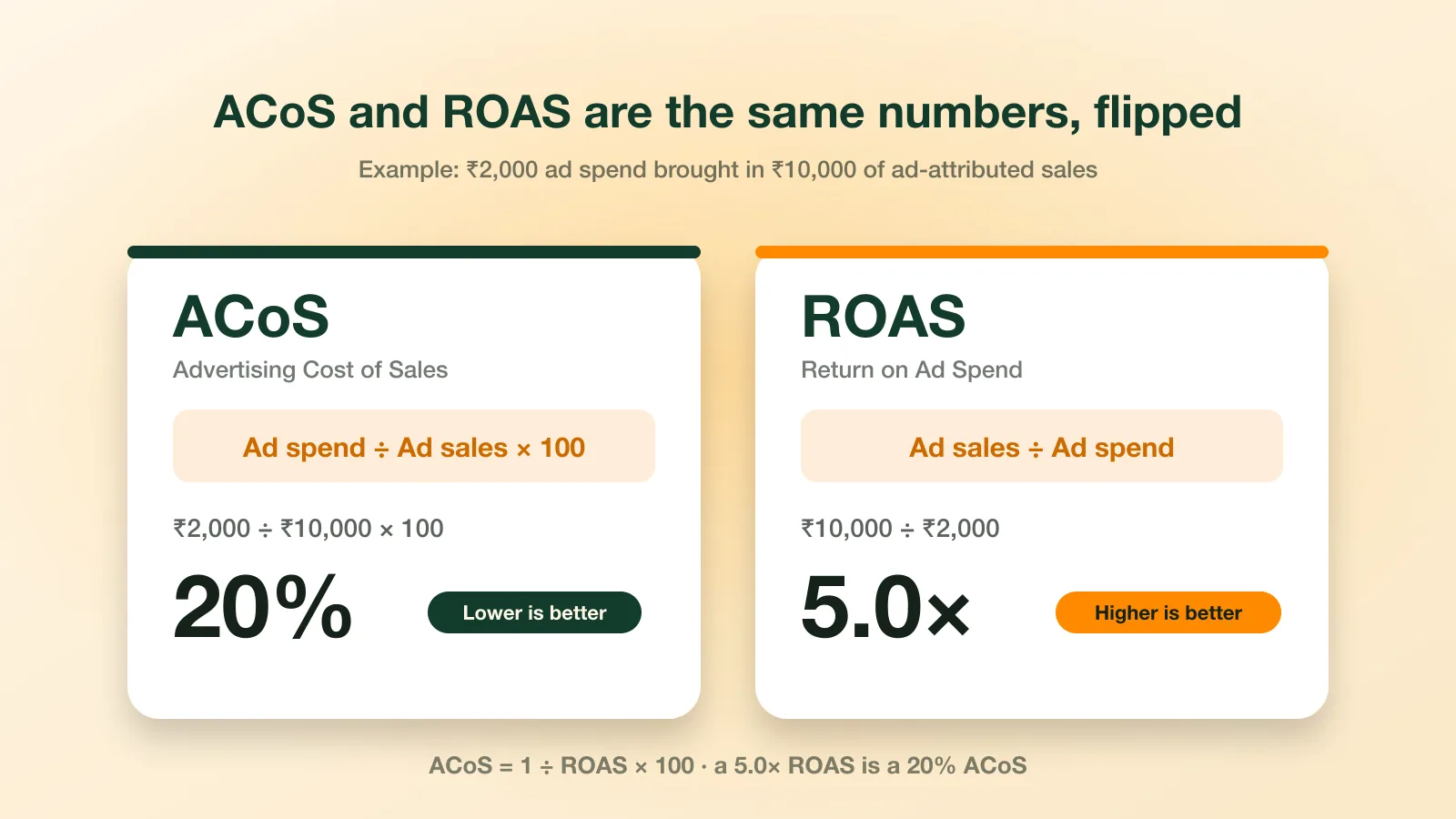
ACoS is ad spend divided by ad sales, times 100, and ROAS is the same two numbers the other way round: ad sales divided by ad spend. TACoS divides ad spend by your total sales, ad and organic, so it shows whether ads are growing the whole business.
ACoS (Advertising Cost of Sales)
ACoS = ad spend ÷ ad sales × 100. Spend ₹2,000 and make ₹10,000 of ad-attributed sales, and your ACoS is 20%: every ₹100 of ad sales cost ₹20 in ads. Lower is better. Amazon’s own guide to ACoS (opens in a new tab) explains how it is reported in the console.
ROAS (Return on Ad Spend)
ROAS = ad sales ÷ ad spend. The same campaign has a ROAS of 5.0: ₹5 of sales for every ₹1 of ads. Higher is better. ACoS and ROAS are the same information flipped: a 25% ACoS is a 4× ROAS.
TACoS (Total Advertising Cost of Sales)
TACoS = ad spend ÷ total sales × 100, counting organic sales as well as ad sales. If that ₹2,000 of ad spend sits alongside ₹25,000 of total sales, TACoS is 8%. A falling TACoS means ads are helping the whole business grow, not just buying their own sales.
| Metric | Formula | Example | Better when |
|---|---|---|---|
| ACoS | Ad spend ÷ ad sales × 100 | 20% | Lower |
| ROAS | Ad sales ÷ ad spend | 5.0× | Higher |
| TACoS | Ad spend ÷ total sales × 100 | 8% | Lower, or falling over time |
How do you calculate break-even ACoS?
Your break-even ACoS is your profit per unit before ad costs, divided by the selling price, times 100. Above it, every ad-driven sale loses money; below it, the ads pay for themselves.
Break-even ACoS = profit per unit before ads ÷ selling price × 100.
Say you sell a product for ₹999 and, per unit, it costs you:
| Item | Amount |
|---|---|
| Selling price | ₹999 |
| Product cost | − ₹400 |
| Marketplace fees | − ₹180 |
| Shipping | − ₹90 |
| Packaging | − ₹20 |
| Profit before ads | ₹309 |
₹309 ÷ ₹999 × 100 ≈ 31%. Above a 31% ACoS, each ad-driven sale of this product loses money; below it, it makes some. Use the real figures from your own fee statements, and work out amounts without GST so the numbers are like for like.
How do you find wasted spend in Amazon Ads reports?
Download the search term report, filter to search terms with zero orders and sort by spend, highest first. The terms at the top that have had more clicks than your threshold are your leaks.
Campaign totals hide them, because a few good search terms can carry a lot of bad ones. Step by step:
- In the Amazon Ads console (opens in a new tab), download the search term report for the last 14 to 30 days.
- Filter to search terms with zero orders and sort by spend, highest first.
- Keep the ones with more clicks than your threshold (see the next section). These are your leaks.
- Decide per term: irrelevant searches become negative exact keywords; relevant but expensive ones get a lower bid; relevant ones that should sell point to a listing problem worth fixing.
- Check the product (ASIN) level too: an ASIN with steady spend and few orders needs a better listing, price or stock before it needs more budget.
How many clicks before you pause a search term?
Divide 2 by your conversion rate: at a 10% conversion rate, a term with 20 clicks and no orders is a clear signal, and at 5% you wait for about 40 clicks. Below that threshold, a term with no orders may simply not have had enough traffic yet.
Use your own conversion rate from the ads console, not a general benchmark: a product that converts well earns a lower threshold.
Give recent days time to settle. Sponsored Products reports count a sale against the click that led to it even when the order comes days later (look for columns such as “7 Day Total Sales” in your search term report), so the last few days always look worse than they will once those sales are counted.
Which rules stop wasted ad spend automatically?
Write each decision you would make by hand as a rule with a condition and an action, such as “clicks ≥ 15 and orders = 0 → add the search term as negative exact”. Start from the rules below and tune every threshold to your own margin and conversion rate.
| Rule | IF | THEN |
|---|---|---|
| Negative keyword harvesting | Clicks ≥ 15 and orders = 0 | Add the search term as negative exact |
| Bid optimisation | ACoS > 40% for 7 days | Lower the bid by 10% |
| Search term promotion | Orders ≥ 3 and ACoS < 25% | Add it as an exact-match keyword |
| Spend guardrail | Spend > ₹1,000 and orders = 0 | Lower the bid by 15% |
| Budget pacing | Over 80% of budget used before 2 PM | Raise the budget by 20% |
Keep a person in the loop
- Review what a rule wants to change before it changes it, at least until you trust the rule.
- Keep a log of every change, so you can link a jump in ACoS to its cause.
- Change one thing at a time per campaign, and give it 7 to 14 days before you judge.
How does Ecommango Ads Manager automate this?
Ecommango Ads Manager runs this whole routine on your own Amazon Ads data. Spend, clicks, ACoS, search terms and ASINs come in from every campaign, and your rules are checked against them continuously.
- It traces each leak to its cause. Search term, keyword, campaign and order are linked, so you see exactly which term is burning budget.
- Its rules are ones you can read. Plain IF/THEN rules that you can edit, pause or switch off. No black box.
- You approve every change. Each match arrives as a recommendation with the numbers behind it. Nothing changes until you apply it.
- Autopilot is your choice. Promote the rules you trust to run on their own; every change is logged.
See how Ads Manager thinks, step by step.
What should a weekly Amazon Ads check include?
Once a week, compare each campaign’s ACoS with its target and act on the search terms that crossed your click threshold without an order. Then promote the terms that convert, fix the listings that don’t, and write down what you changed.
- Compare each campaign’s ACoS with its target, and note anything above break-even.
- In the search term report, find zero-order terms above your click threshold and act on them.
- Add search terms that convert well as exact-match keywords.
- Find products with high spend and low conversion, and fix the listing, price or stock.
- Check for campaigns that run out of budget early in the day.
- Write down what you changed and why.
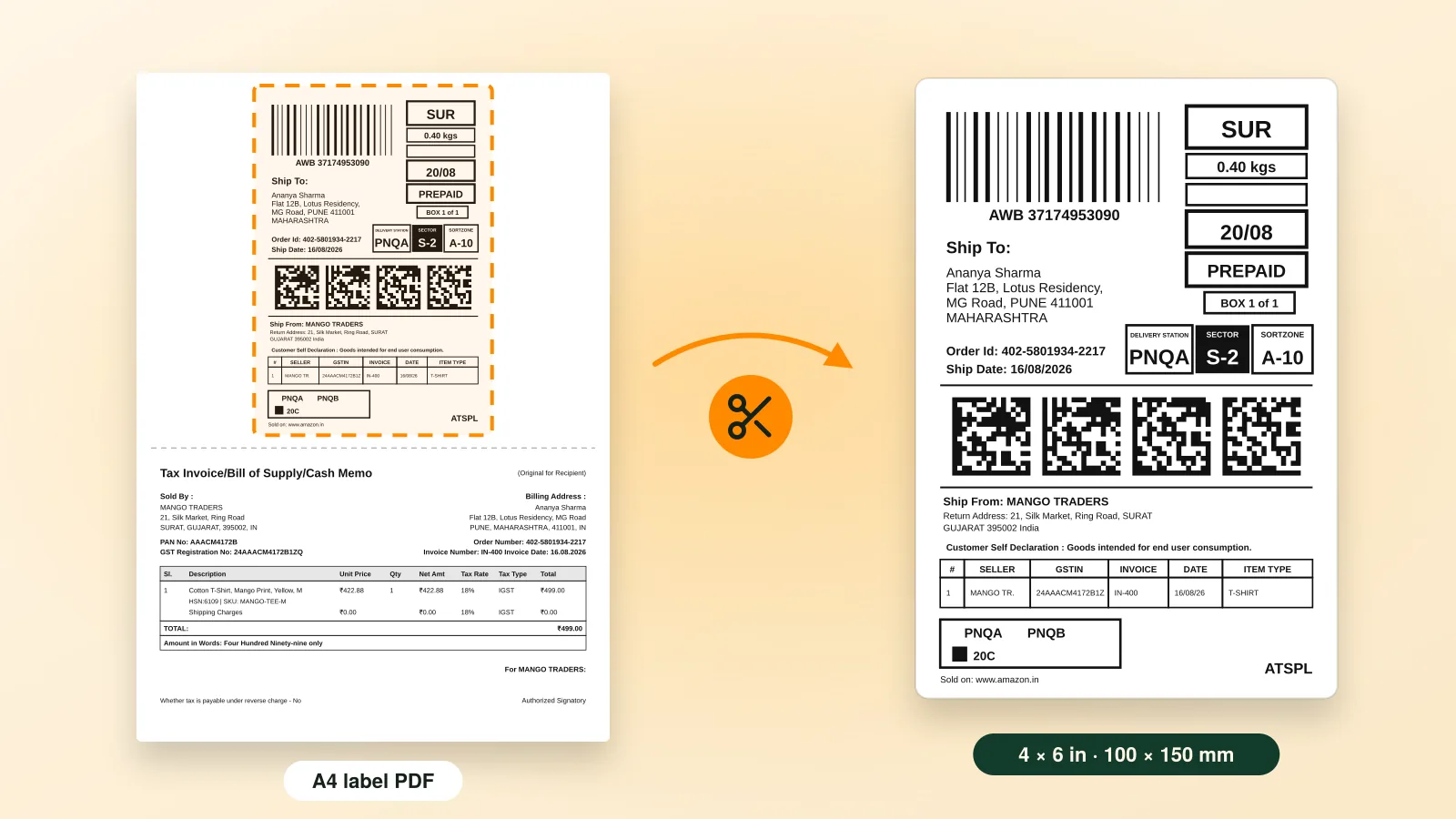
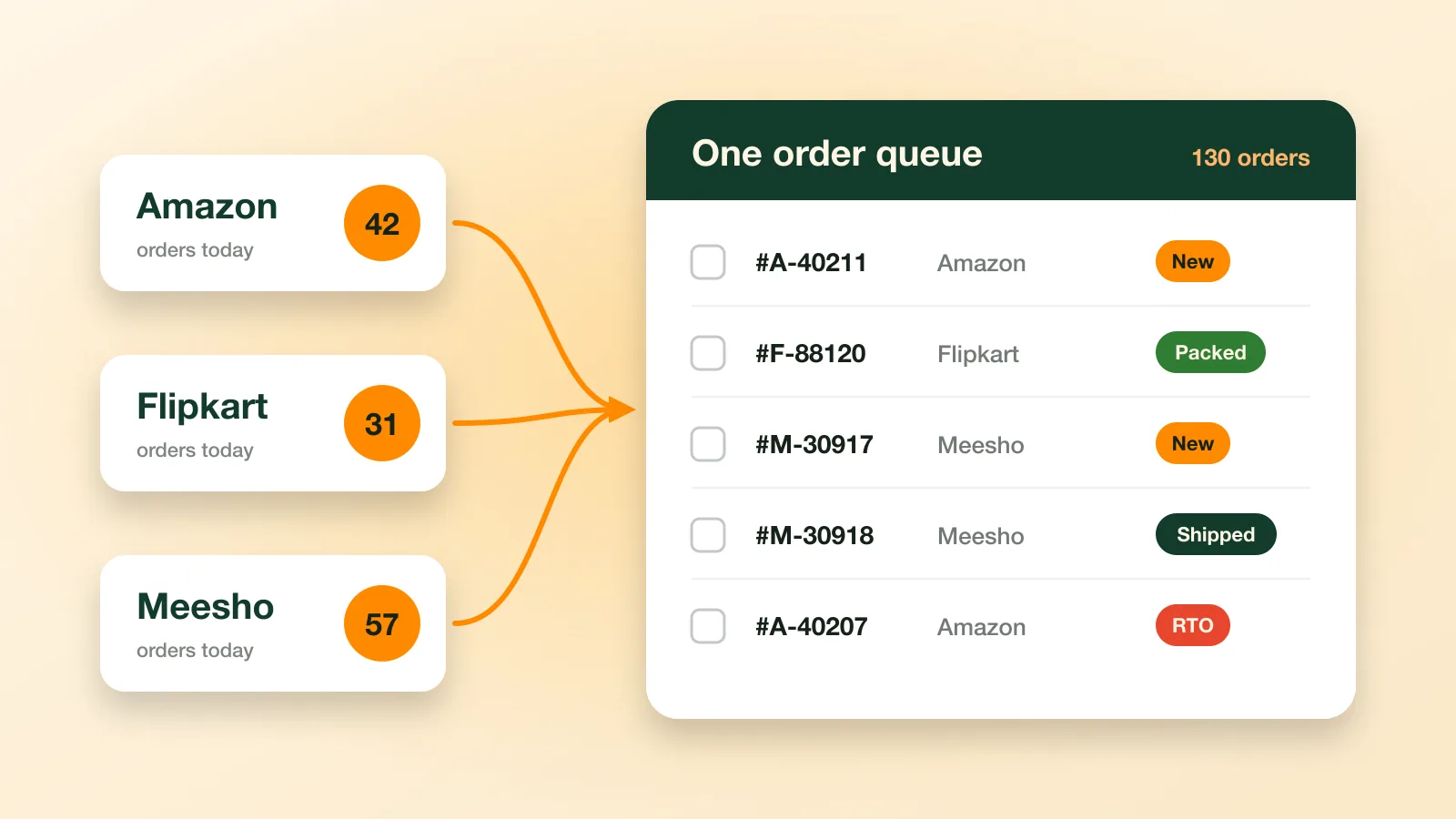
When your ads start bringing in more orders than your packing desk can handle, read how to crop shipping labels for a 4×6 thermal printer and our guide to multi-channel order management.
Frequently asked questions
What is a good ACoS on Amazon India?
There is no fixed number. A good ACoS is lower than your profit margin before ad costs, so every ad sale still earns.
What is the difference between ACoS and ROAS?
ACoS is what you spend on ads for every ₹100 of sales. ROAS is what you earn for every ₹1 of ads. 25% ACoS = 4× ROAS.
How do I find wasted spend in Amazon Ads?
Download the search term report. Look for words with zero orders and sort them by spend. The costly ones are your waste.
Should I pause keywords that have no sales?
Not too early. Wait for enough clicks first. Block words that do not match your product; for good words, lower the bid instead.
What is TACoS?
TACoS is your ad spend compared with all your sales, not only ad sales. It shows if ads are growing your whole business.
Does Ecommango Ads Manager change my bids automatically?
Only if you allow it. Each change comes as a suggestion you accept or reject, and every change is recorded.