● Ads Manager3 min read
Amazon Negative Keywords: How to Find and Add Them
What negative keywords are in Amazon Ads, negative exact vs negative phrase, how to find them in the search term report and how to add them to a campaign.
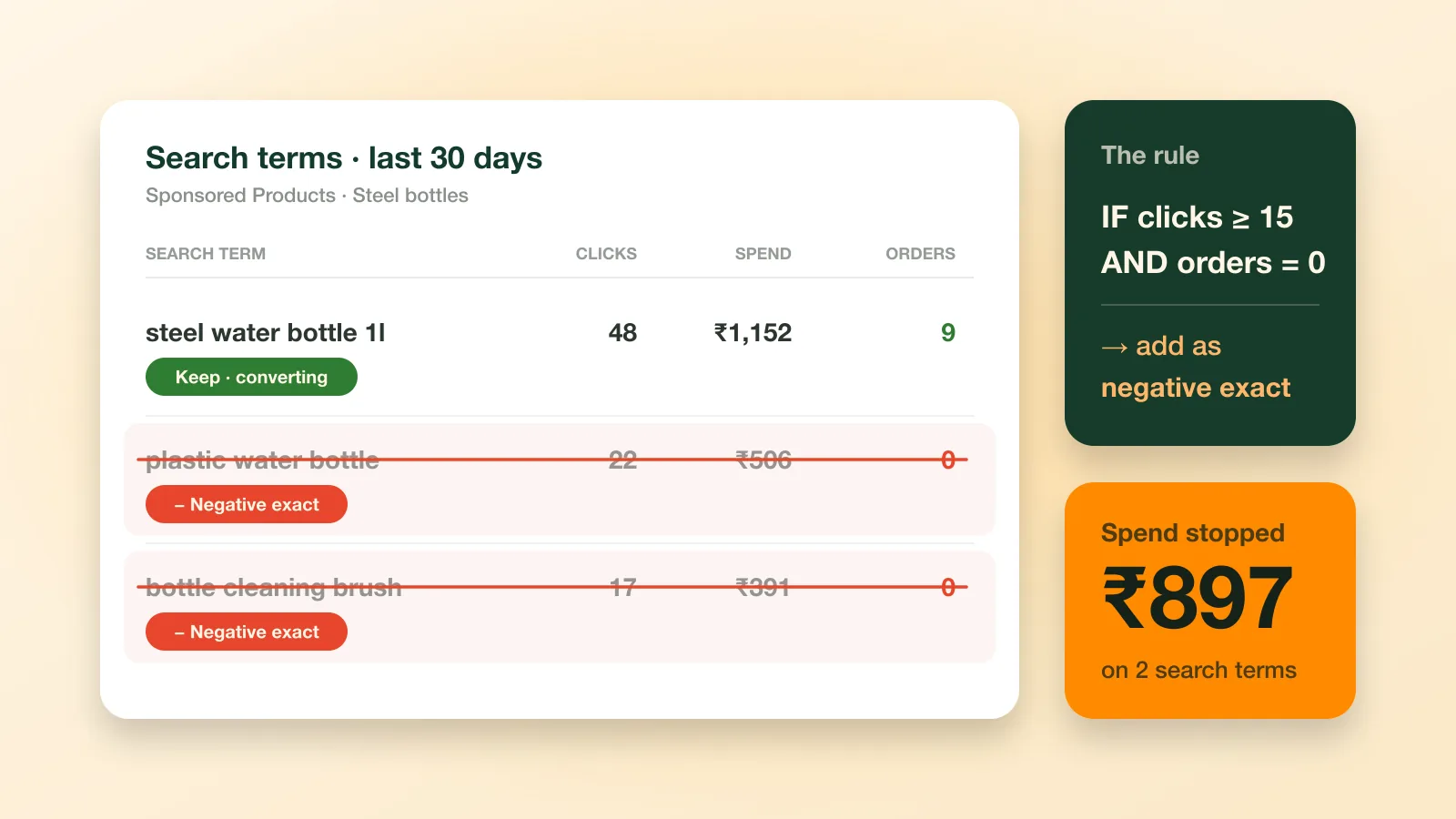
A negative keyword tells Amazon Ads not to show your ad for a search term. It is the simplest way to stop paying for clicks from shoppers who want something you don't sell. To use negative keywords well, pull the search term report, find the terms that spend without selling, and add them as negative exact or negative phrase.
What is a negative keyword in Amazon Ads?
A negative keyword is a word or phrase you tell Amazon not to match your ad to. Sponsored Products is pay-per-click, so every click costs money whether or not the shopper buys. If you sell steel water bottles and your ad shows for “plastic water bottle”, those clicks are wasted. Adding “plastic” as a negative stops them.
What is the difference between negative exact and negative phrase?
Negative exact blocks one specific search term. Negative phrase blocks every search that contains the phrase, so it is stronger and riskier.
Match type | What it blocks | Use it for |
|---|---|---|
Negative exact | That search term only | A term that has proved it does not sell |
Negative phrase | Any search containing the phrase | A word that is always wrong for your product |
Start with negative exact. A negative phrase that is too short can block good searches along with bad ones.
How do you find negative keywords?
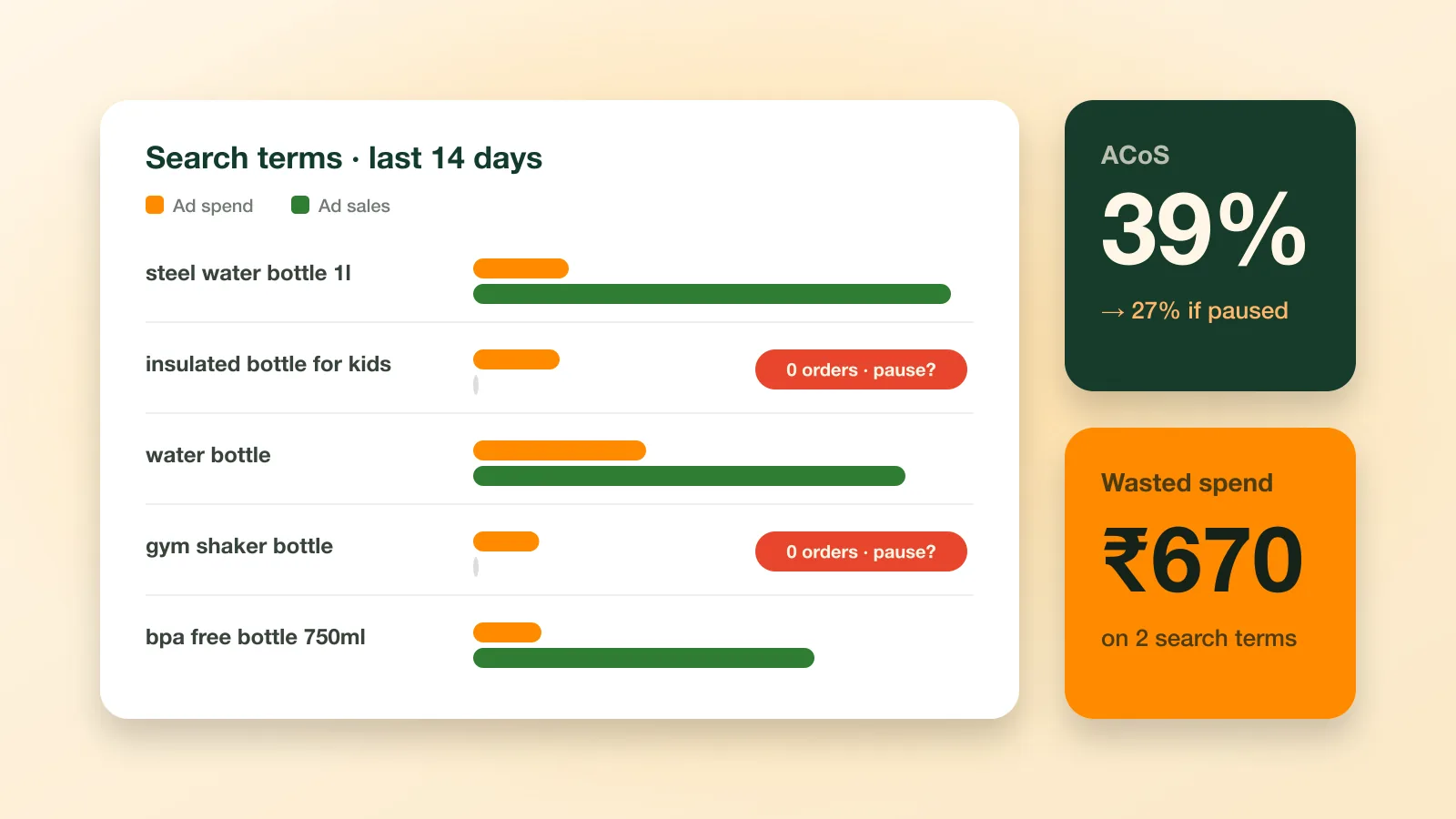
Download the search term report from the Amazon Ads console for the last 14 to 30 days and sort it by spend. Look for two kinds of term:
Irrelevant terms : a different material, size, colour or brand from what you sell.
Terms that spend without selling : plenty of clicks, zero orders.
A common rule is 15 clicks with no orders. Below that, the term may only need more time; see our guide to cutting wasted Amazon Ads spend.
How do you add negative keywords to a campaign?
Open the campaign or ad group in the Amazon Ads console, go to its negative keywords tab, choose the match type, paste your terms and save. Add negatives to automatic campaigns too. They need them most, because Amazon chooses the searches there.
Doing this every week is the hard part. Ecommango Ads Manager runs the check on your own Amazon Ads data with a plain rule: IF clicks ≥ 15 AND orders = 0 → add negative exact. Each match arrives as a recommendation you approve, and every change is logged.
Key takeaways
- A negative keyword blocks your ad for a search, so you stop paying for clicks that will never become orders.
- Negative exact blocks one search term; negative phrase blocks every search that contains the phrase.
- Find negatives in the search term report: terms with clicks, spend and zero orders.
Frequently asked questions
How many clicks before I add a negative keyword?
A common rule is 15 clicks with no orders. Add clearly irrelevant terms straight away, without waiting.
Can negative keywords hurt my sales?
Yes, if they are too broad. A short negative phrase can block searches that would have sold, so start with negative exact.
Do automatic campaigns need negative keywords?
Yes. Amazon picks the searches in an automatic campaign, so negatives are your main way to steer it.